 piledrivegames.
Satisfactory is a first-person factory-building game about constructing, connecting and improving production systems. You explore an alien world, find resources and build the infrastructure that turns those resources into a working factory. You can take on that project alone or build with other players online.
For a Steam player deciding whether to try it, the useful questions are practical: what do you spend your time doing, how does cooperative play work, and what does cross-play actually include? This source-checked guide explains the format and the current multiplayer distinctions.
What do you actually do in Satisfactory?
The official game page describes construction, automation and exploration as its central activities, alongside combat. You build factories from a first-person viewpoint, connect production with conveyors and pipes, and use automated trucks and trains to serve distant outposts.
That combination makes the layout part of the activity. When watching gameplay, look beyond the size of a finished building. Follow what enters a production area, where it goes and how the player moves through the space. The interesting question is whether you enjoy turning a complicated arrangement into something you can understand and improve.
Exploration also has a practical purpose: finding materials for the expanding operation. The developer describes equipment and vehicles that help with travel, as well as wildlife encounters. If you are looking for a game concerned only with arranging buildings, include those parts of the experience in your decision.
Why automation changes the building loop
A useful way to think about a factory is as a chain of dependencies. One area supplies something that another area needs. Adding more machinery is only one possible response when the end of the chain is waiting; the constraint may be farther upstream.
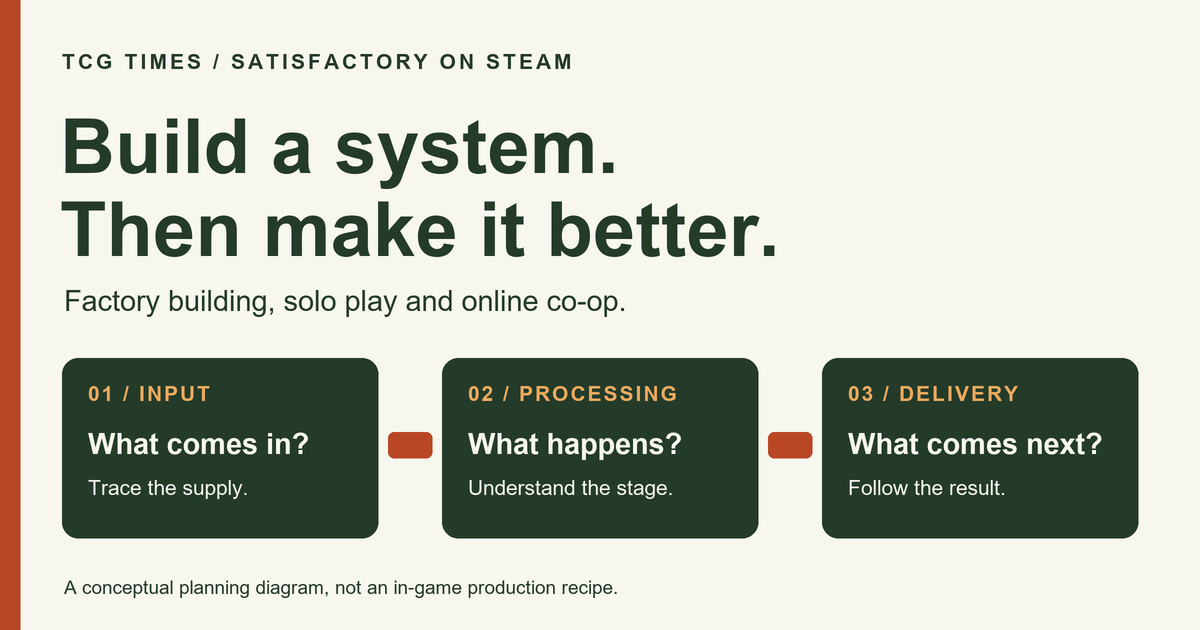
Consider this conceptual planning example, rather than a specific Satisfactory recipe:
- Input: identify what the production area needs to receive.
- Processing: understand which stage transforms or uses that input.
- Delivery: trace where the result needs to go next.
When evaluating footage, pause at a junction and try to explain that chain in your own words. Can you see why the player chose a particular route? Would you enjoy revisiting it after learning something new? Those questions help distinguish interest in the appearance of a factory from interest in designing its operation.
You do not need to copy a huge showcase build to answer them. Look for a small example with an explanation of the choices. A clear production area can teach you more about the appeal of automation than a fly-through that shows only the finished scale.
Can you play Satisfactory solo or in co-op?
The Steam listing identifies single-player and online co-op. Coffee Stain Studios develops the game, with Coffee Stain Publishing listed as publisher. The same listing also includes cross-platform multiplayer, but the account and save details deserve a separate check.
For solo play, consider whether you want to own each planning decision yourself. For a group, discuss how you want to collaborate before treating multiplayer as a simple checkbox. One person might enjoy laying out production while another prefers investigating the next expansion area.
Useful questions for your group include who will host, how you will explain changes to one another, and whether a shared project should wait when someone is unavailable. These are planning choices for the people playing together, rather than promises about a particular server configuration.
Satisfactory cross-play, accounts and saves
As checked on November 12, 2026, the developer's current Crossplay FAQ makes these distinctions:
| How you want to play | Account requirement described by the FAQ |
|---|---|
| Single-player | No additional account required. |
| Steam with Steam-only players | You can choose Steam's backend. |
| Cross-platform sessions | Steam, Epic, PlayStation and Xbox are supported through EOS, requiring an Epic Games account. |
Cross-play does not mean cross-progression. The FAQ says saves remain on the session host's platform. Steam's separate Steam Cloud label should not be treated as a promise of console-to-PC save transfer.
The support page also says there is no couch co-op or split-screen, dedicated servers are PC-only, and console cross-play sessions must be unmodded. Check the current FAQ when arranging a group, particularly if its members use different platforms.
What to check before installing on Steam
Read the current system requirements in full. Steam specifies a 64-bit processor and operating system, with separate minimum and recommended hardware lists, and an internet connection for multiplayer. Compare the requirements with your machine instead of treating a trailer or an attractive screenshot as a performance test.
Also check the language table and any input or accessibility features essential to you. A store feature label answers a particular question; it does not establish every detail of how you will use the game. If a feature is decisive, look for a current official explanation before relying on it.
Is Satisfactory the kind of building game you want?
Start with a short piece of ordinary gameplay that explains a production decision. Look for the moment when the player notices a problem, changes the arrangement and checks the result. If that process appeals to you, you have a more useful reason to investigate further than the size of the factory alone.
Then choose the play arrangement that fits your plans: an individual building project or a shared online one, with the current platform, account and save rules understood in advance.
For more ways to evaluate PC games, browse our Steam games and demos guides. If trying a short playable sample is part of your research into another game, our Steam Next Fest demo guide suggests questions for making that session useful.